
How you opt in
- Sign in to the app with your employee ID and password.
- On “How do you want to get your code?”, choose Text. (Or choose Authenticator app, and nothing is ever texted.)
- Confirm the number on file, shown by its last four digits, or enter your own cell number, then tap Send code.
- Enter the 6-digit code from the text. Later sign-ins text a code the same way.
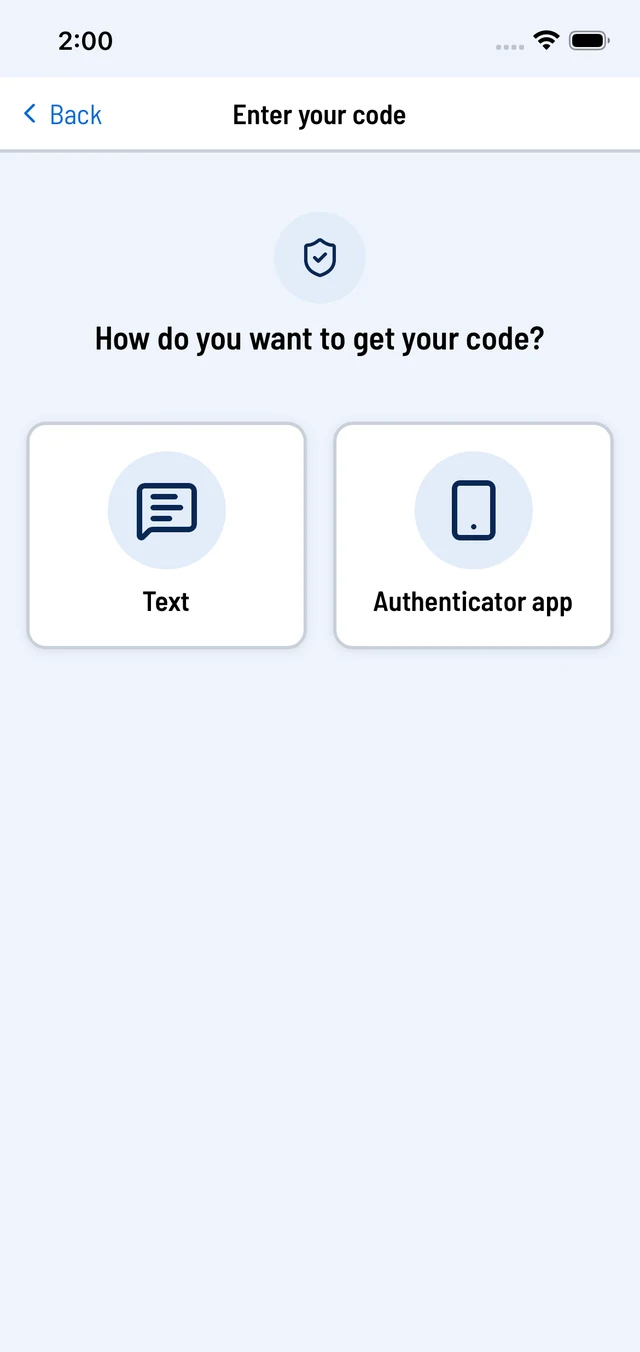
Choose Text, or Authenticator app. 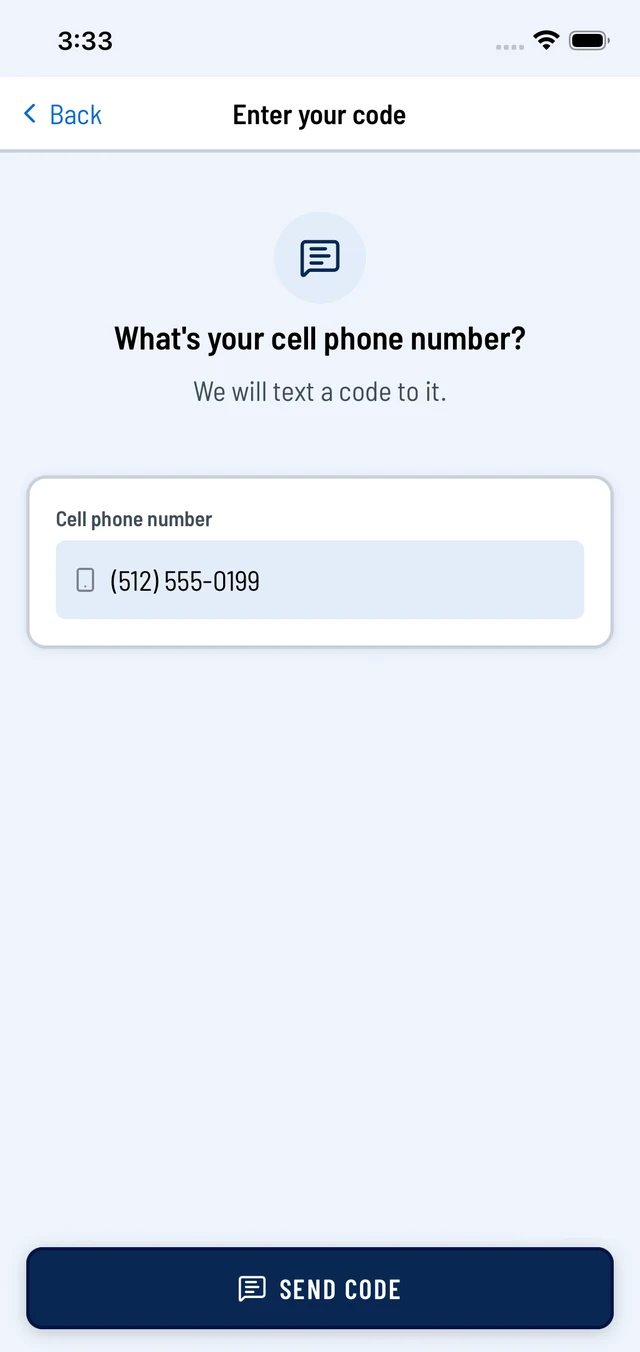
Enter or confirm your cell number, then tap Send code.
What you receive
Only one-time sign-in and password-reset codes, and only when you ask for one: “TimeCard: your sign-in code is 123456. It expires in 5 minutes. Do not share it. Reply STOP to opt out.” Message and data rates may apply.
How to stop
Reply STOP to any message, or reply HELP for help. You can use an authenticator app instead. Full terms: terms of use; privacy: privacy policy.